Registering with the Teachers Registration Council of Nigeria (TRCN) marks a major milestone for every Nigerian teacher. It grants you the professional Nigerian teaching license that legally allows you to practice and advance your career in both public and private schools. Yet many dedicated educators—new graduates, experienced classroom teachers in Port Harcourt or Lagos, and aspiring professionals—discover errors in their details after submission.
A misspelled name, incorrect email, wrong phone number, or mismatched qualification category can cause missed exam notifications, delayed certificates, or complications during license renewal and job applications. These issues feel frustrating, especially when you’re already balancing lesson planning, school duties, and TRCN exam prep.
This guide delivers clear, step-by-step instructions to correct your details on the TRCN portal. You will also learn preventive strategies, real-world expert tips tailored to the Nigerian school environment, and what to do when self-service options fall short. By the end, you will confidently manage your TRCN profile and stay focused on passing the Professional Qualifying Examination (PQE) and building a thriving teaching career.
Why Accurate Details Matter for Your TRCN Journey
The TRCN serves as the regulatory body for teaching in Nigeria. Registration is mandatory for anyone teaching in nurseries, primary, secondary, or tertiary institutions. Your details on the portal link directly to your TRCN certificate, license, PQE results, and future renewals.
Common errors include:
- Typographical mistakes in names (e.g., “Oluwafemi” vs. “Oluwafunmi”)
- Incorrect contact information (email or phone)
- Wrong qualification category (NCE vs. Degree holders)
- Mismatched NIN, date of birth, or state of origin
- Outdated employment or teaching experience details
Such mistakes can block important SMS/email alerts for TRCN exam dates, induction programs, or license renewal deadlines. In a system where results now release within one week and certificates print from home, clean data ensures smooth digital processes.
Correcting details early prevents bigger headaches later, such as name discrepancies on your physical certificate that affect promotions in state or federal schools.
Understanding the TRCN Portal and Registration Process
The official TRCN portal is at www.trcn.gov.ng. A recent digital upgrade allows teachers to handle registration, profile updates, result checking, certificate printing, and license management online from anywhere in Nigeria.
Key sections teachers use:
- Teachers Login / Sign Up (often redirects to teachers.trcn.gov.ng)
- Profile or Dashboard for personal details
- Registration/Apply as Teacher
- PQE application and result portal
- License renewal and re-registration for upgrades
Registration typically involves creating an account with a valid email, filling personal and academic information, paying via Remita (RRR), and submitting supporting documents. Many start online but complete verification at state TRCN offices.
Note: Always verify you are on the genuine **www.trcn.gov.ng**—avoid unofficial links or agents promising shortcuts, as scams targeting teachers remain common.
Common Reasons Teachers Need to Correct Details After Registration
After submitting, many realize issues during document review or when receiving confirmation:
- Name spelling or order errors — Often from hurried typing or certificate mismatches.
- Contact information changes — New SIM, email, or relocation (common for teachers transferred between states like Rivers to Abuja).
- Qualification or category mistakes — Entering NCE details when you hold a B.Ed. or PGDE.
- NIN or ID mismatches — NIN details must match exactly; corrections happen at NIMC first.
- Date of birth, state of origin, or marital status — Especially for married women needing name change evidence.
If you spot an error before full approval or certificate issuance, correction is usually easier. Post-issuance name changes on the certificate often require formal processes with evidence.
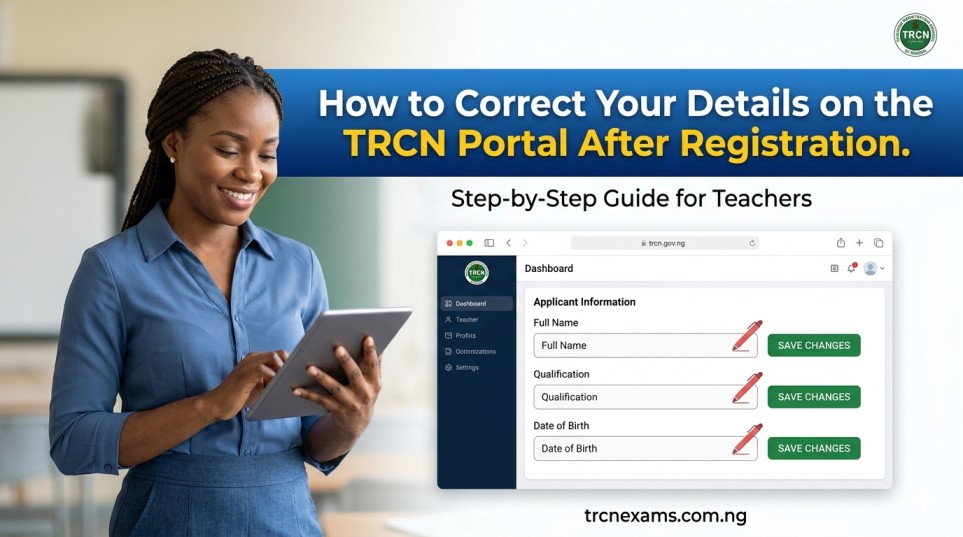
Step-by-Step Guide: How to Correct Your Details on the TRCN Portal
The portal now supports more self-service profile updates, though some critical changes (especially name or qualification) still need office support.
Step 1: Log into Your TRCN Account
- Visit www.trcn.gov.ng
- Click “Teachers Login” or “Apply as Teacher”
- Use your registered email and password
- If you forgot your password, use the “Forgot Password” option—check your email or spam folder
Step 2: Navigate to Your Profile/Dashboard
- Once logged in, locate the profile icon, “My Account,” “Update Profile,” or “Edit Details” section
- Review sections: Personal Information, Contact Details, Academic Qualifications, Employment History
Step 3: Make the Necessary Edits
- Update editable fields such as phone number, email, address, or minor profile info
- For name changes, the system may allow limited corrections if not yet approved
- Save changes and look for a confirmation or submission button
Step 4: Upload Supporting Documents (Where Required)
- For name corrections: Affidavit, marriage certificate (for women), or gazette publication
- For qualification upgrades: Original certificates and transcripts
- For contact updates: Usually no extra documents needed
Step 5: Submit and Verify
- Submit the update request
- Note any reference or ticket number generated
- Monitor your email and SMS for confirmation
Step 6: Follow Up if Needed
- Log back in after 24–48 hours to confirm changes
- Print updated confirmation slip or profile summary
If the portal shows fields as non-editable or your request fails, proceed to the next section on office assistance.
When and How to Contact TRCN for Complex Corrections
Not every change works fully online, especially post-approval or for name/qualification errors.
Recommended Actions:
- Email info@trcn.gov.ng with your TRCN registration number (if assigned), full name, phone, and clear description of the error. Attach scanned documents.
- Call the national line: +234 905 446 8360
- Visit your state TRCN office (e.g., in Rivers State for Port Harcourt teachers). Bring originals and photocopies of all credentials, passport photographs, and proof of the correction needed.
Many teachers report success by combining an online request with a follow-up physical visit or email. State coordinators often help fast-track minor issues.
Pro Tip: Keep records of every communication—screenshots of portal pages, email threads, and receipt numbers. Nigerian bureaucratic processes reward organized documentation.
Expert Tips and Pro-Strategies for Nigerian Teachers
Drawing from years of guiding teachers across Nigeria’s education sector, here are practical strategies that work in real school environments:
Prevent Errors Before They Happen:
- Double-check every field against your NIN slip, WAEC/NECO certificate, and degree statement before submitting
- Use a calm moment (not during school hours) when filling the form
- Have a colleague or mentor review your entries
Handle Name Discrepancies:
- If your name differs across documents, regularize with an affidavit or court declaration before TRCN registration
- For married female teachers, include your marriage certificate early
Contact Information Best Practices:
- Use a personal email you check daily (Gmail recommended) and an active phone number
- Update contacts immediately after any change—don’t wait for exam season
Qualification Category Strategy:
- Confirm your exact category (A: PhD, B: Master’s, C: Degree, D: NCE) against TRCN guidelines. Higher categories cover broader syllabuses for the PQE.
Table: Common TRCN Categories and Implications
| Category | Qualification | Typical PQE Focus | Common Correction Needed |
|---|---|---|---|
| A | PhD in Education/related | Advanced research & pedagogy | Qualification upgrade |
| B | Master’s Degree | In-depth subject mastery | Category change from C |
| C | Bachelor’s (B.Ed or PGDE) | Professional teaching skills | Degree vs. NCE mismatch |
| D | NCE | Foundational teaching knowledge | Most common entry-level errors |
Expert Tip for Busy Teachers: If you teach in a federal unity school or state public school, involve your school’s admin or quality assurance officer. Many schools now support staff with TRCN processes and may even have bulk update experiences.
For TRCN Exam Prep Integration: While correcting details, use the wait time productively. Download reliable TRCN past questions and focus on Areas of Concentration. A clean portal profile means you won’t miss your exam batch notifications in the May or November diets.
What to Do If Your Certificate Has Already Been Issued with Errors
For errors discovered after certificate printing:
- Apply for correction or re-issuance through your state office or national secretariat
- Provide a formal letter of request, sworn affidavit (for name errors), and supporting documents
- Pay any applicable administrative fee
- Expect a new certificate once approved—keep the old one for records
Name changes on the final license often require gazette publication in extreme cases. Start the process early to avoid impacting promotions or international opportunities.
Preventive Measures and Best Practices Moving Forward
- Regular Profile Review: Log into the TRCN portal every 3–6 months to verify details, especially before PQE or renewal periods
- Document Organization: Maintain a dedicated folder (physical and digital) with all TRCN-related papers
- Stay Updated: Follow official TRCN announcements on www.trcn.gov.ng for portal upgrades or new self-service features
- Avoid Middlemen: Handle your registration and corrections personally or through verified school channels to reduce errors and costs
In the Nigerian education landscape, where transfers, further studies (like PGDE), and name changes after marriage are common, proactive data management separates stressed teachers from those who advance smoothly.
Conclusion: Take Control of Your TRCN Profile Today
Correcting your details on the TRCN portal is straightforward when you act promptly and follow official channels. Whether it’s a simple phone number update or a more involved name correction, the key is accuracy, proper documentation, and persistence.
A professional, error-free TRCN record strengthens your standing as a licensed Nigerian teacher. It opens doors to better opportunities, seamless license renewals, and confidence as you prepare for and pass the TRCN Professional Qualifying Examination.
Don’t let minor registration errors hold back your career growth. Log into www.trcn.gov.ng right now, review your profile, and make those corrections. For name or qualification issues, reach out to info@trcn.gov.ng or your state office without delay.
Ready to excel in your TRCN exam prep? Strengthen your preparation with targeted resources. Check out our Free Practice Exams or download our TRCN Past Questions on trcnexams.com.ng—designed specifically for Nigerian teachers aiming to pass on the first attempt and advance confidently in the profession.
Your teaching license is more than a document; it is your gateway to professional excellence. Secure it properly and focus on what matters most—impacting the next generation of Nigerian learners.
Disclaimer: Procedures can evolve with portal updates. Always cross-check the latest information directly on www.trcn.gov.ng or with TRCN officials. This guide shares practical insights to support teachers but does not replace official advice.