
If you’re fresh off the Teachers Registration Council of Nigeria (TRCN) Professional Qualifying Examination (PQE) or eagerly awaiting outcomes from a recent batch, you’re probably typing away queries like how do I check my TRCN exam result online.
The PQE is that crucial test certifying us as professional teachers, mandatory for roles in schools, promotions, or even international opportunities. Results typically drop 2-4 weeks post-exam.
Why Checking Your TRCN Result Matters
Before jumping into the how-to, let’s touch on the importance. Passing unlocks your path to full licensing – think certificate, induction, and that shiny professional card. Without it, many states enforce strict rules: no teaching gigs in public setups like SUBEB, limited private school hires, or stalled career growth. I’ve witnessed colleagues transform their prospects overnight after verifying a pass. Plus, with government targets for 100% teacher registration by 2027, early certification gives you an advantage.
Results are valid for one year for processing your license, so act fast once they appear. If you fail (and it’s okay, resits are allowed), use the feedback to prep better next time.
Official Portal for Checking TRCN PQE Results
The primary spot is the TRCN’s main website: https://trcn.gov.ng/. Avoid random links or apps promising quick checks – they could be scams harvesting your data. Some older guides mention tis.trcn.gov.ng or teachers.trcnigeria.ng, but the central hub redirects you properly.
For diaspora or those preferring a dedicated dashboard, the teachers’ login area at teachers.trcnigeria.ng integrates result viewing seamlessly.
Step-by-Step Guide to Check TRCN Exam Result Online
Here’s the straightforward method, updated for 2026 based on recent candidate experiences:
Open Your Browser and Visit the Site: Launch any reliable web browser (Chrome, Firefox) on your phone, laptop, or desktop. Type in www.trcn.gov.ng and hit enter.
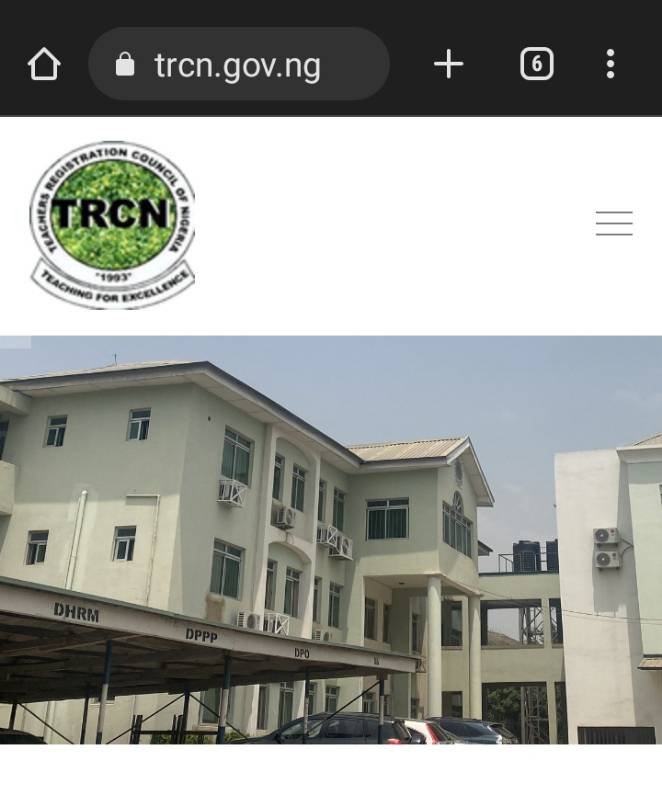
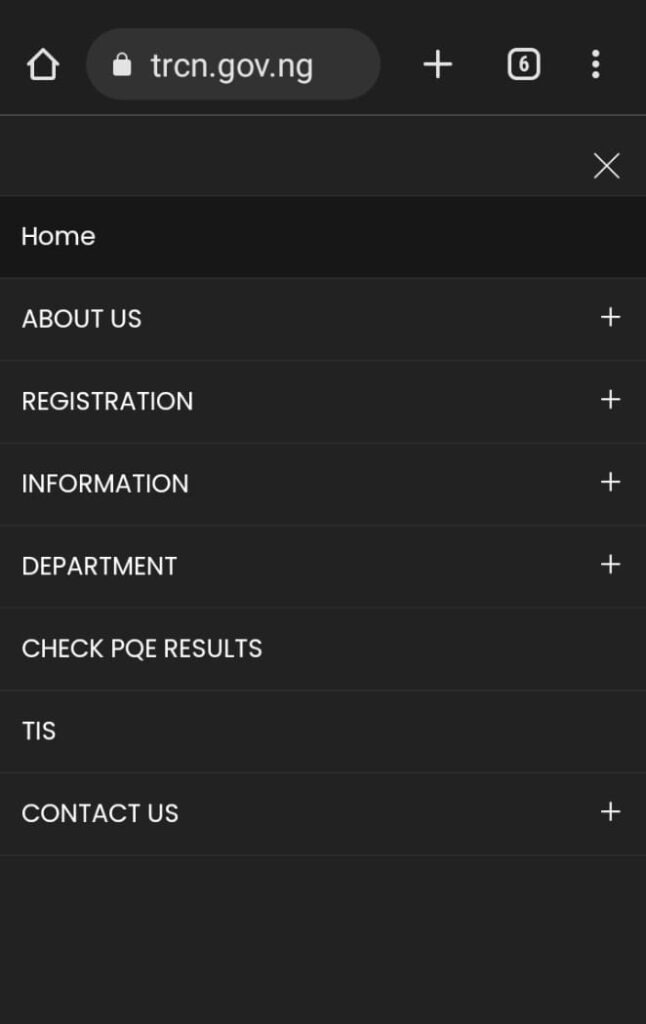
Navigate to the Result Section: On the homepage, look for the menu icon (those three horizontal lines) in the top right corner. Tap or click it to expand options. Scroll until you spot “Check PQE Result” or “Professional Qualifying Exam” under the examinations tab. If it’s not immediately visible, click on “Teachers Login” or “Teacher Portal” – this leads to the dashboard where results are housed.
Enter Required Details: You’ll land on a form page. Key in your PQE Number – that’s the unique identifier from your exam slip, usually starting with letters like “TRCN/PQE/…” followed by digits. If you registered online, use the alphanumeric code displayed at your test venue (not always the slip one).
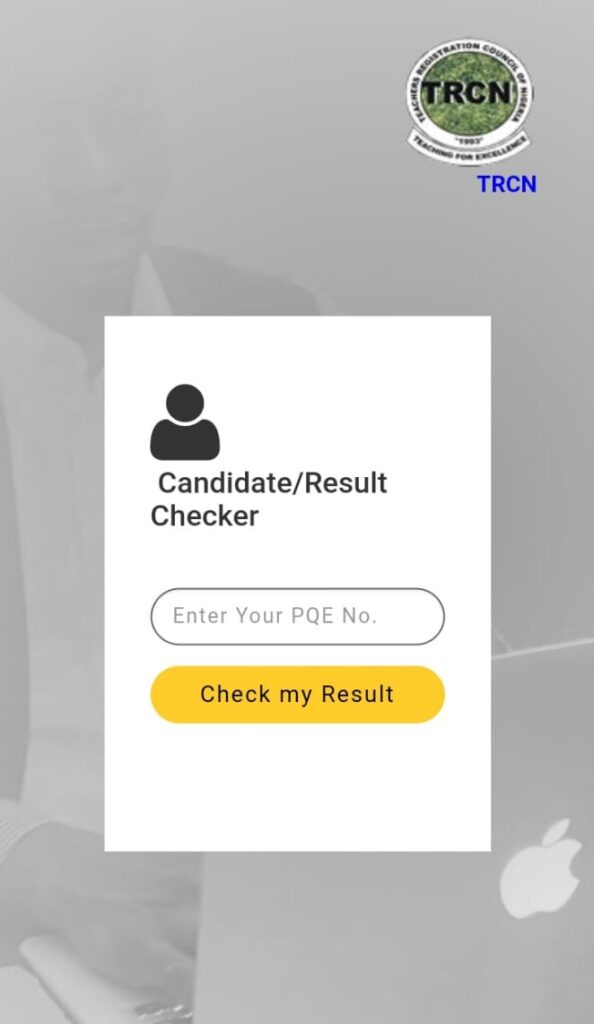
Submit and View Your Status: Hit the “Check Result” or “Submit” button. If successful, your outcome displays: Pass/Fail status, score breakdown (if provided), and next steps like proceeding to certification.
Print or screenshot the page immediately – it’s your proof until official documents arrive.
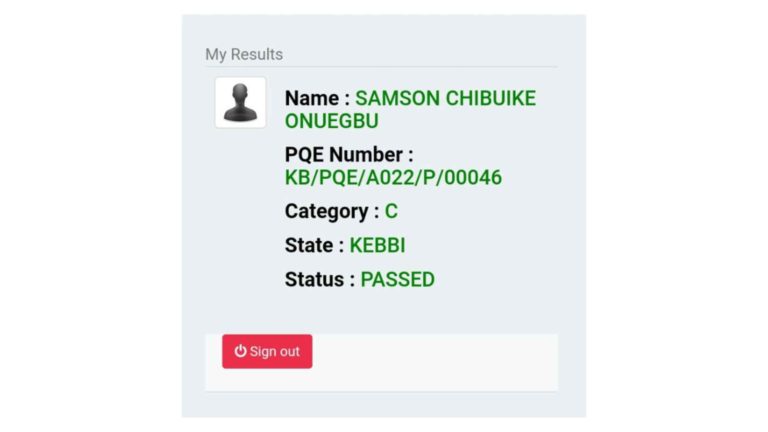
Alternative Offline Check: If online fails (rare but possible during high traffic), visit your state’s TRCN office (often in the Ministry of Education). Bring your PQE slip and ID for manual lookup.
This process takes under 5 minutes typically. For iPQE (international) takers, the same portal applies, with email notifications often sent.
But if the result portal shows RESULT NOT FOUND or INCORRECT PQE NUMBER, here are some reasons why and how to resolve it.
Solutions to TRCN “RESULT NOT FOUND” or “INCORRECT PQE NUMBER”
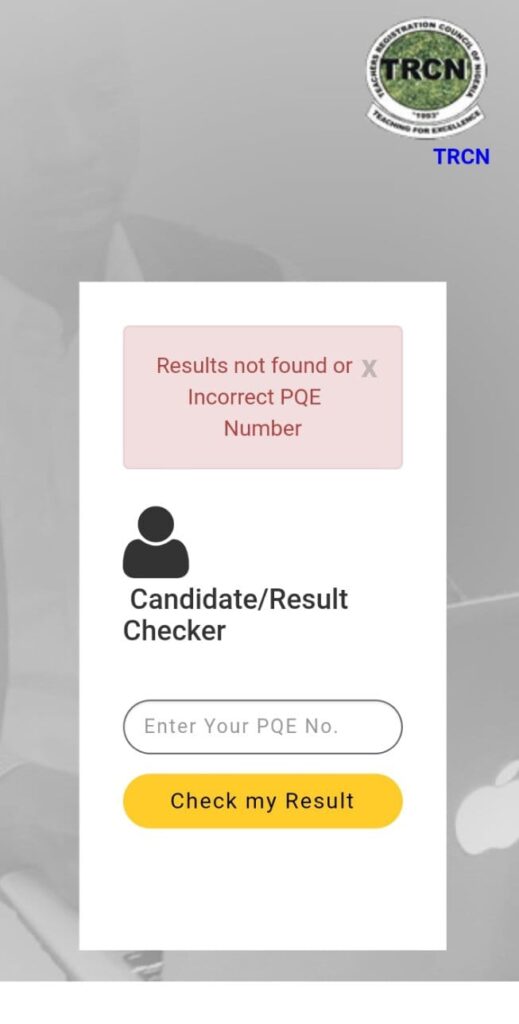
If your screen displays this error message above instead of your TRCN result, it could mean…
- Reason 1: You entered your PQE number wrongly.
- Reason 2: Your result is yet to be uploaded.
- Reason 3: You failed the exam.
We’ll advise you to visit the TRCN result checking portal again and re-enter your PQE number but this time…
- Do NOT leave any space before, within, or after your PQE number.
- Do NOT type any of the Zeros as letter “O” or vice versa.
If it still displays the same error message after taking the above precautions, then wait for a week or two and check again.
It could be REASON TWO (that your result was not yet uploaded earlier).
But if the error message remains even after a week or more, then it is unfortunately REASON THREE.
Common Issues and Troubleshooting Tips
Not everything goes perfectly – here’s how to handle hiccups, drawn from real stories in teacher forums:
- “No Record Found” Error: This tops the complaints. Solution: Double-check your input. Many succeed by switching to the venue-posted registration code (alphanumeric) instead of the slip number. If still stuck, wait 24 hours – servers update batches gradually.
- Forgotten PQE Number: Dig out your exam slip or email confirmation. If lost, contact your state coordinator via phone (numbers on trcn.gov.ng under contacts).
- Site Down or Slow: Peak times post-release cause overload. Try off-hours (early morning) or incognito mode to bypass cache issues.
- Login Problems: Reset password via “Forgot Password” link, using your registered email. Ensure your profile was verified during registration.
- No Email Alert: TRCN doesn’t always send notifications. Rely on site checks or official announcements.
If delays persist, email info@trcn.gov.ng or call the helpline.
What to Do After Checking Your Result
Passed? Celebrate, then move to full registration. Pay fees (around ₦28,000 for Category C), submit docs at an office, and await your e-certificate (often instant) or physical one (1-3 months).
Failed? No worries – resit the next batch. Use the time to strengthen weak areas.
Preparing for Future TRCN Exams While Awaiting Results
While monitoring for your outcome, why not gear up for success or help others? I highly recommend trcnexams.com.ng as the ultimate resource for TRCN prospects. This platform packs interactive practice tests simulating the real CBT, plus downloadable past questions and answers spanning 2015 to 2025 – all refreshed for accuracy.
Whether you’re reviewing history of education theories, philosophy principles, or methodology scenarios, their tools sharpen your skills. Many who’ve passed credit their mocks for building exam-day poise. Visit trcnexams.com.ng today to access free samples or premium packs – it’s tailored for Nigerian teachers like us.
Latest Updates on TRCN Results in 2026
As of February 2026, recent batches (like November 2025) have results out, with pass rates hovering around 65-70%. For Batch A 2026, expect outcomes by late June if exams hold in May.
Navigating how to check TRCN exam result online is your bridge to professional elevation. Follow these steps, troubleshoot wisely, and leverage sites like trcnexams.com.ng for prep excellence. With past questions from 2015-2025 at your fingertips, you’re equipped to excel.
If Batch A 2026 is your target, register soon via the portal.
1 thought on “How to Check Your TRCN Exam Result Online”
Comments are closed.